How to set up a do not disturb period for site notifications
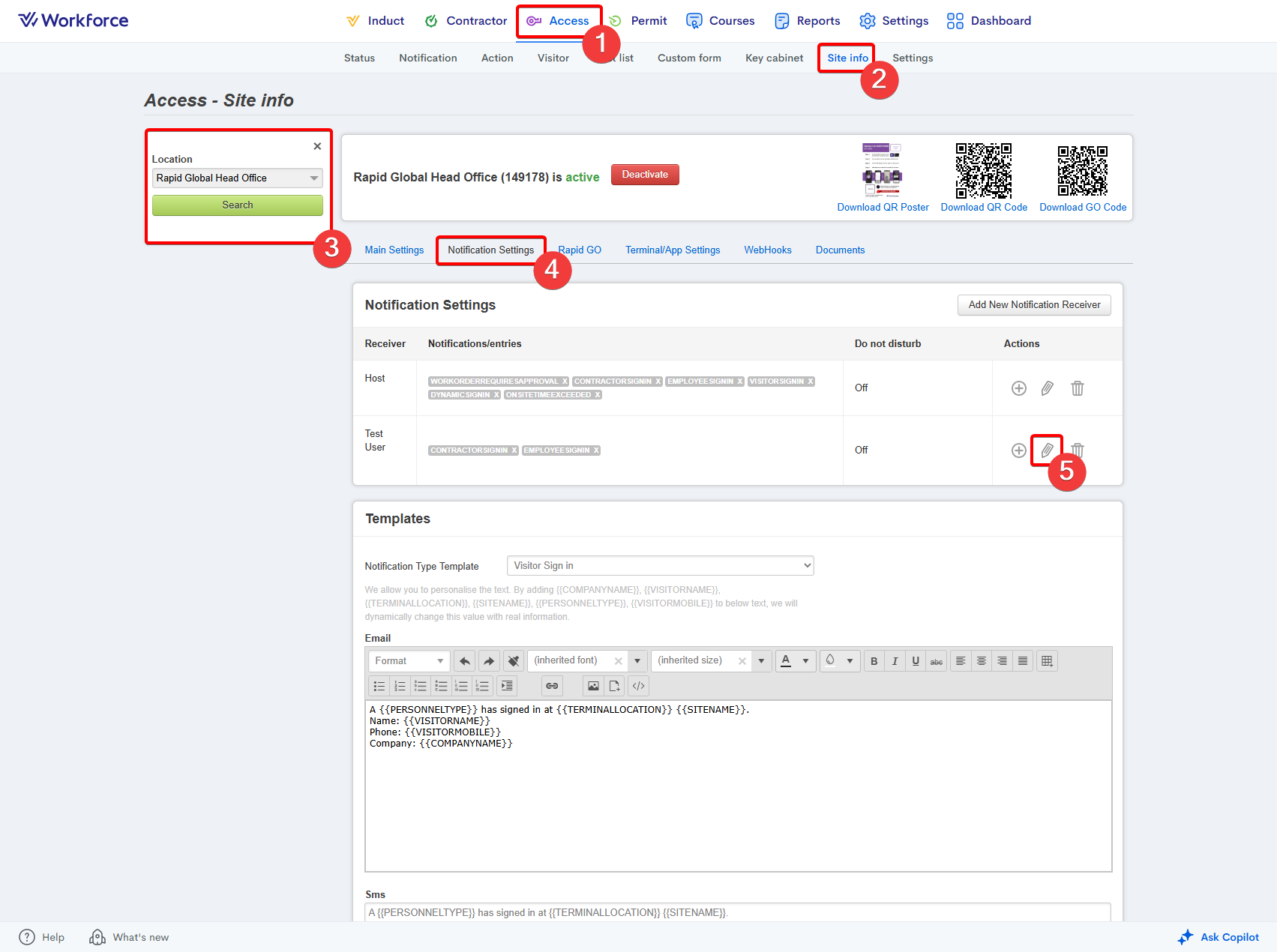
- Go to the Access module.
- Enter the Site Info area.
- Select your site using the Location dropdown on the left-hand side.
- Go to the Notification Settings tab.
- Press the Pencil icon to the right of the relevant notification setup:
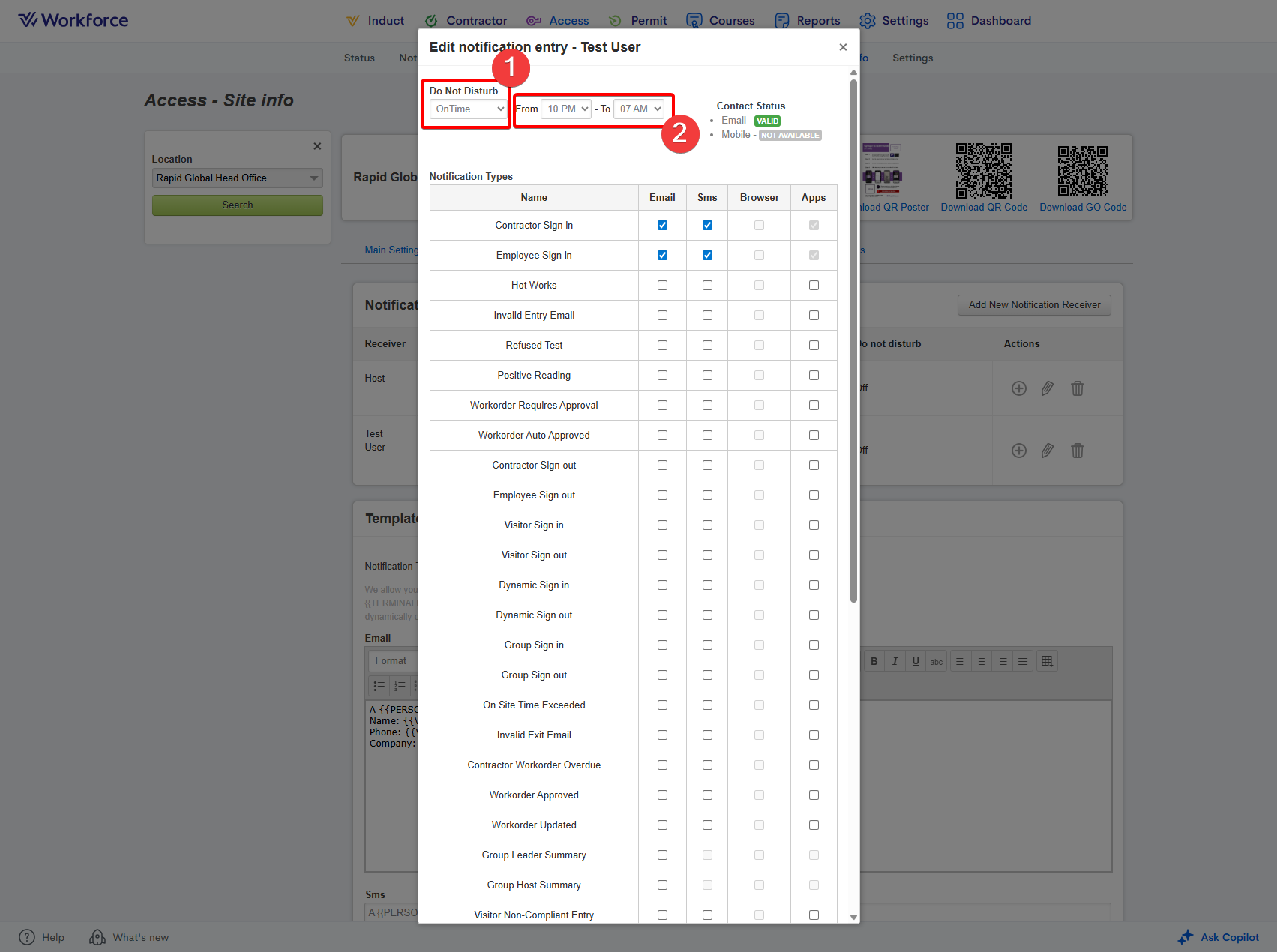
- Under the Do Not Disturb option, select the Do Not Disturb type from the dropdown.
- Set the Do Not Disturb period:
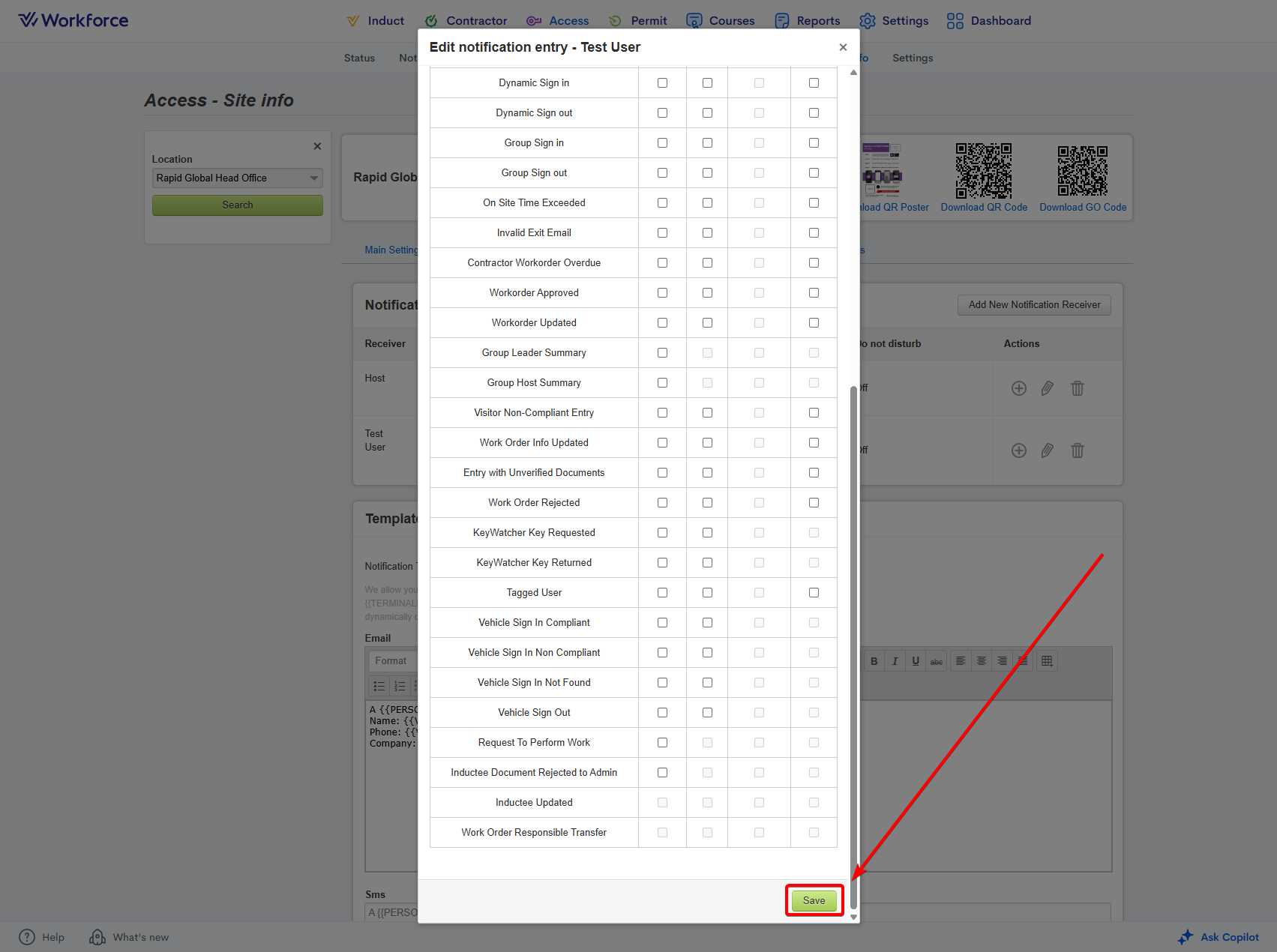
- Scroll down the page and press the Save button:
Related Articles
Managing Access Notifications
This article covers how to configure and manage Access notifications, including initial setup, deactivation, and a breakdown of notification types and groups. --------------------- What are Access notifications? Access notifications allow ...
How to set up work order notifications
Within Access, site settings can be configured to automatically notify permit approvers when specific work order–related events occur onsite. Go to the Access module. Select the Site Info section. Enter the Notification Settings area. Press the Add ...
How to activate a site in Rapid Access
After you have created your site within the Settings module in the MyRapid Administrator portal, you must activate the site within Access to be able to enable a sign-in system for your site. Please not that this does NOT automatically enable the ...
How to enable and configure Rapid GO for a site
Rapid GO must be enabled and configured. Enabling Rapid GO allows the QR code to be used, after which you can customise the workflow settings to control who can sign in and what they see during the sign‑in process. Enabling Rapid GO for a site: Go to ...
Where do I find a site's induction requirements in Access?
You can find a site's induction requirements within Sections 10 & 11 in the Access > Site Info module. Please follow the steps below on how to access this area: Go to the Access module. Enter the Site Info area. Select your site using the Location ...