How to adjust the locations the permit group is assigned to
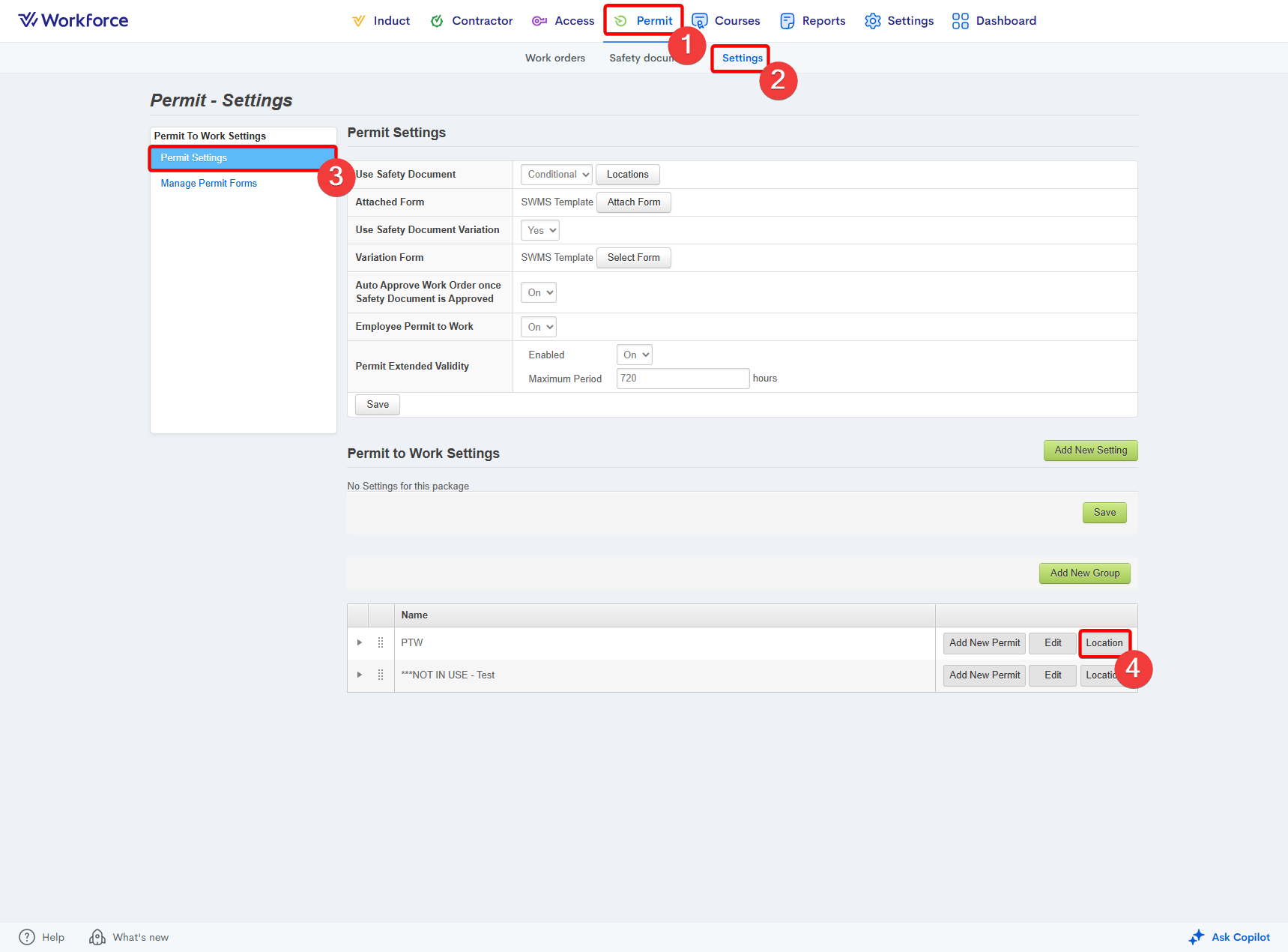
- Go to the Permit module.
- Select the Settings section.
- Enter the Permit Settings area.
- Press the Location button to the right of the permit group:
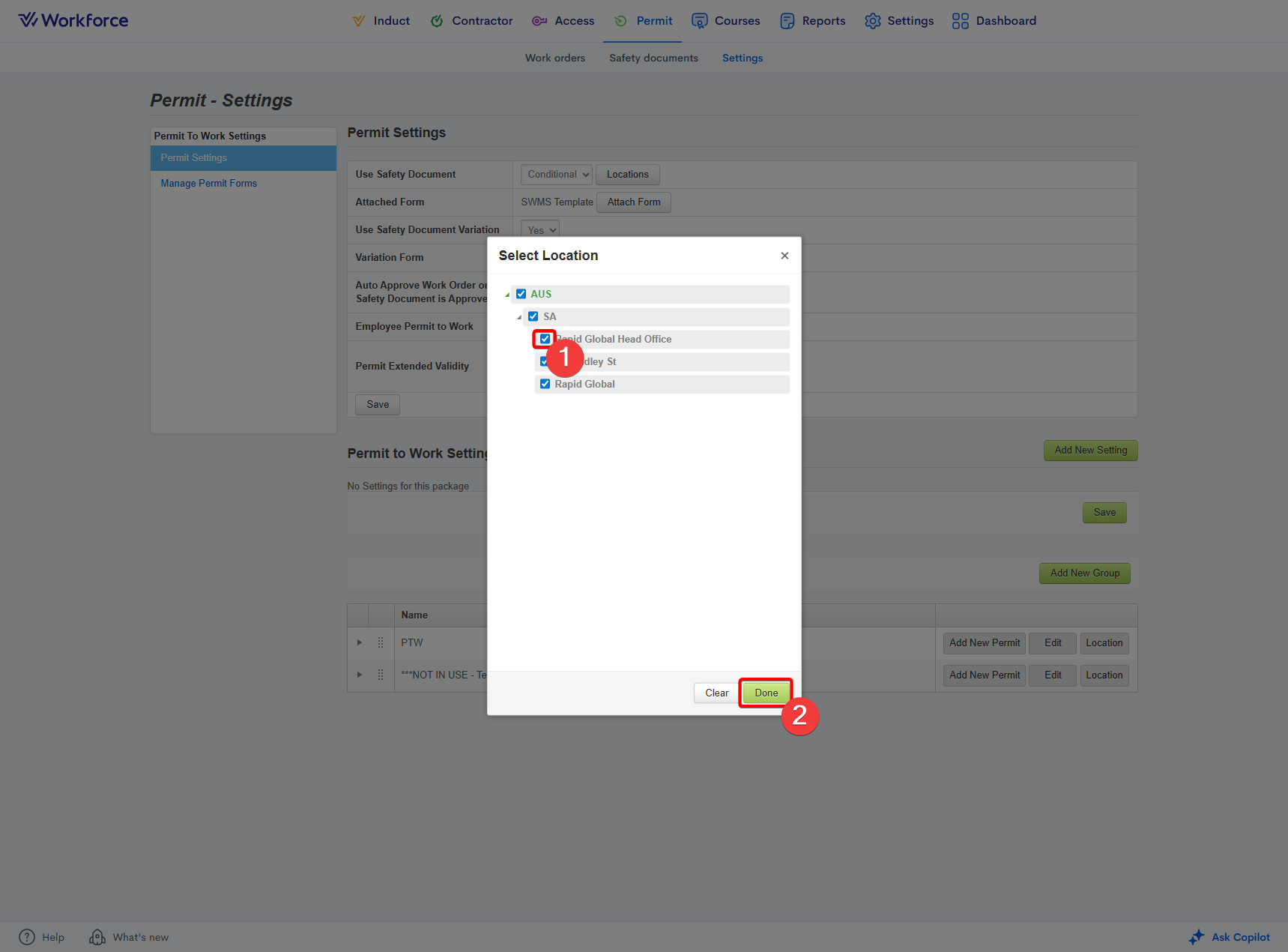
- Tick and untick the sites you would like the questions assigned to / not assigned to.
- Press the Done button:
Related Articles
What is a permit group?
A permit group is a feature within the Permit to Work module that lets you define a set of sign‑on questions workers must answer when submitting a work order. These questions relate to the type of high‑risk work being carried out onsite. If a worker ...
How to create exit questions within a permit group
Go to the Permit module. Enter the Settings tab. Select the Permit Settings option: Scroll down to the bottom of the page. Within the table, press the right-facing arrow to the left of the relevant permit group. Press the Edit button to the right of ...
How to adjust the validity of a permit
Go to the Permit module. Enter the Work Orders tab. Locate the work order using the filters on the left-hand side of the page. Ensure you press Search to apply the filters: Press the right-pointing arrow to the left of the Work Order No. Press the ...
How to link a permit to a permit group
Go to the Permit module. Select the Settings section. Enter the Permit Settings area. At the bottom of the page, press the right-facing arrow to drop down the relevant permit group to confirm it's the correct group. Press the Add New Permit button to ...
Why can't I locate a work order in the admin portal?
If you’re having trouble locating a work order in the Administrator Portal, there are a few common reasons this may occur. The work order date range is outside your search criteria When searching for a work order, ensure the Date Range is set to All ...