How can I view who is onsite right now?
- Go to the Access module.
- Enter the Status area.
- Select your site using the filters on the left-hand side.
- Press the Onsite button:
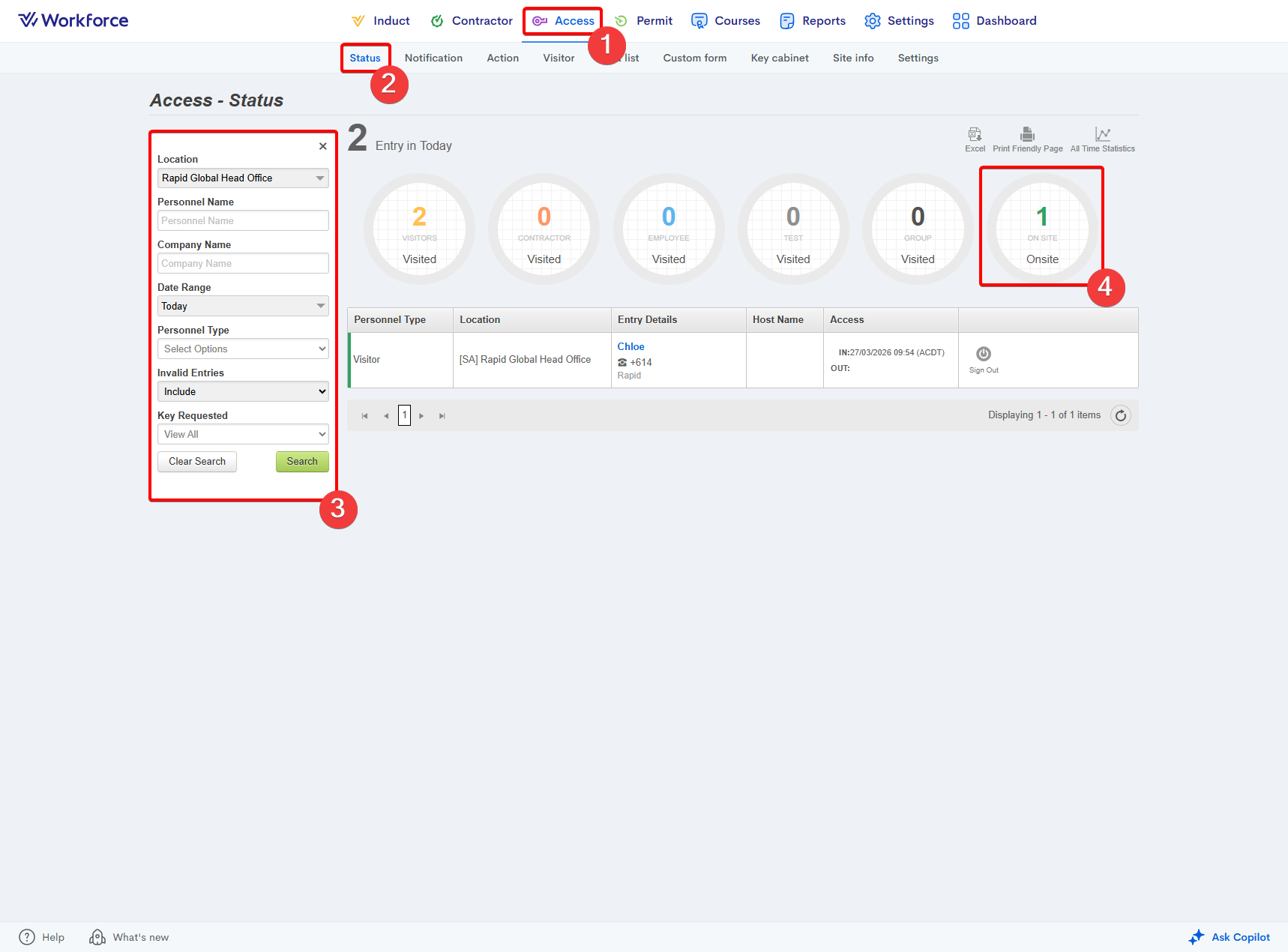
 Please note: You can generate the data you see on your page in an Excel file by pressing the Excel button in the top right.
Related Articles
How to see how long someone has been onsite?
Currently, the Access > Status page does not automatically display a user’s total time onsite. To determine the duration, you must manually compare the sign‑in and sign‑out times and calculate the difference. Alternatively, the Rapid Access Entry Log ...
Where do I see a user's answers to the sign out form?
You can access the answers a user has provided to the sign-out form via the Access > Status dashboard. To the right of their entry log, simply press the Sign Out Form button and a popup will appear with their answers.
How can I sign someone out on their behalf as an administrator?
You can sign someone out on their behalf from the Access > Status page. A Sign Out button appears to the right of the user’s entry, selecting this will immediately sign the user out.
Where do I see a user's answers to the sign in form?
You can access the answers a user has provided to the sign-in form via the Access > Status dashboard. To the right of their entry log, simply press the Sign In Form button and a popup will appear with their answers.
How to create a sign-in / sign-out form
The Access > Custom Form feature allows you to create sign‑in and sign‑out forms that users must view and complete during the sign‑in and sign‑out process. These forms can be assigned by personnel type and to specific sites. Creating a sign-in / ...