How can I sign someone out on their behalf as an administrator?
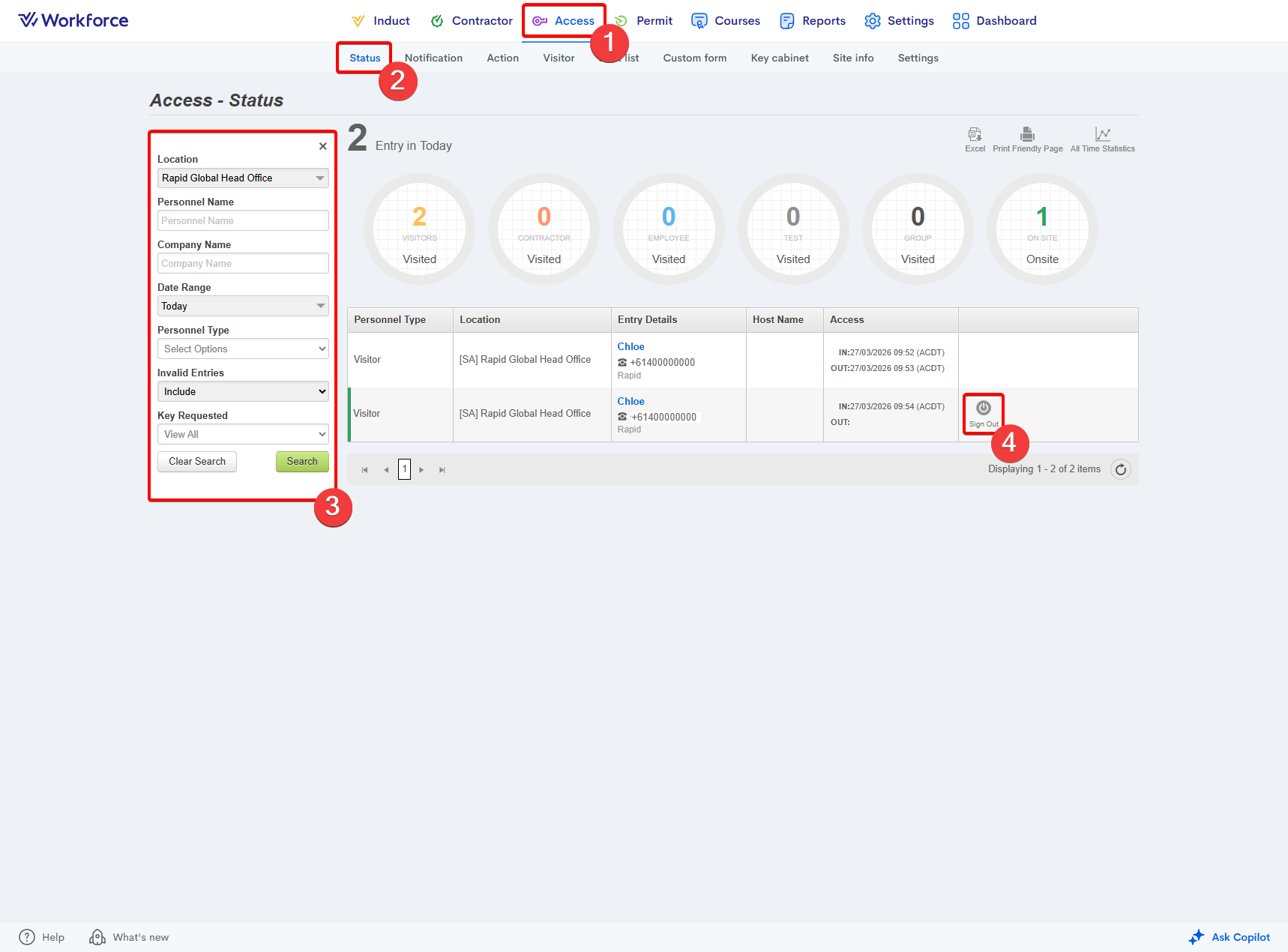
You can sign someone out on their behalf from the Access > Status page. A Sign Out button appears to the right of the user’s entry, selecting this will immediately sign the user out.
Related Articles
Where do I alter the sign-in / sign-out form?
Sign‑in and Sign‑out Forms can be edited from the Administrator Dashboard under Access > Custom Form. Navigate to the Form Builder tab, then select the name of the form you want to edit. For more information on creating and managing sign‑in and ...How to set the auto-signout period for a site
Go to the Access module. Enter the Site Info area. Select your site from the Location dropdown on the left-hand side. Adjust the Auto Signout setting to your site's preference: Scroll down the page and press the Update button:How to create a sign-in / sign-out form
The Access > Custom Form feature allows you to create sign‑in and sign‑out forms that users must view and complete during the sign‑in and sign‑out process. These forms can be assigned by personnel type and to specific sites. Creating a sign-in / ...Where do I see a user's answers to the sign in form?
You can access the answers a user has provided to the sign-in form via the Access > Status dashboard. To the right of their entry log, simply press the Sign In Form button and a popup will appear with their answers.Where do I see a user's answers to the sign out form?
You can access the answers a user has provided to the sign-out form via the Access > Status dashboard. To the right of their entry log, simply press the Sign Out Form button and a popup will appear with their answers.